
What you will need
- My Book Showroom PRO or Publisher license activated on your site
- An active Amazon Associates account
- PA-API access approved by Amazon — this is a separate application from
Associates membership (log in to Associates and apply under Tools → Product Advertising API)
- Your Access Key ID and Secret Access Key from Amazon Associates →
Manage Your Apps
- Your Associate Tag (your tracking tag, e.g.
yourtag-20) - The ASIN(s) of the books you want to import or sync
Step 1 — Enter your PA-API credentials in Settings
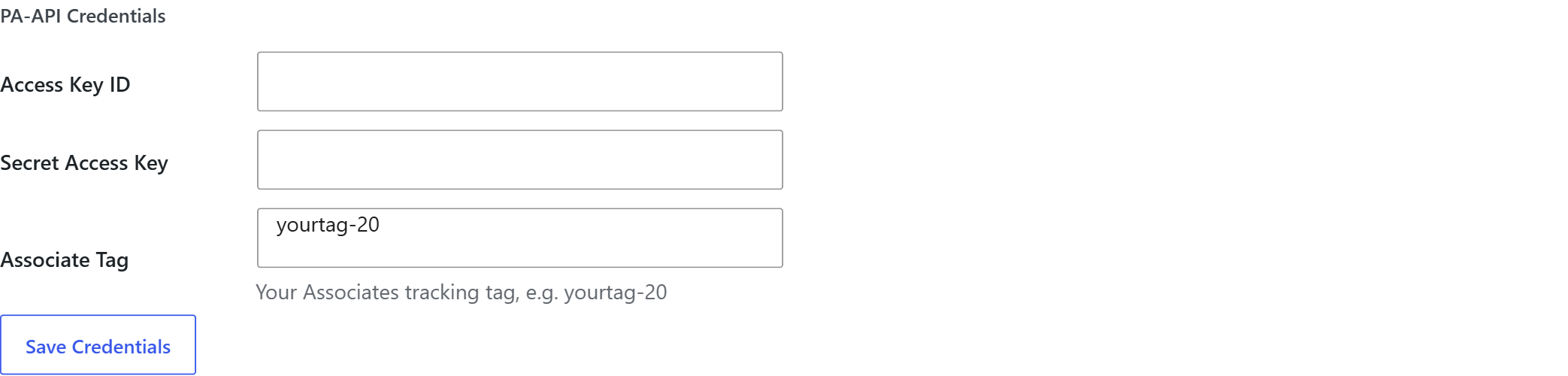
Go to My Book Showroom → Settings → Import / Export and click the Amazon Import card. The PA-API Credentials section appears at the top of the panel that opens.
Fill in the four required fields:
| Field | Where to find it | |---|---| | Access Key ID | Amazon Associates → Manage Your Apps | | Secret Access Key | Amazon Associates → Manage Your Apps | | Associate Tag | Your Associates tracking tag (e.g. yourtag-20) |
Click Save Credentials.
MBS stores your credentials encrypted using AES-256-GCM. They are never saved in plain text in the database or in any log file.
Step 2 — Import books by ASIN
With credentials saved, go to My Book Showroom → Settings → Import/Export tab and locate the From Amazon / ASIN scenario card.
- Enter one ASIN per line in the text area (up to 50 per batch)
- Click Look Up ASINs — MBS calls the PA-API
GetItemsoperation and
returns a candidate list showing each book's title, author, and cover thumbnail
- Review the list and check the books you want to import
- Click Import Selected — MBS creates an
mbs_bookpost for each
confirmed book, populates the metadata fields, and sideloads the cover image from Amazon's CDN into your WordPress media library
- The ASIN is stored in the book's format row alongside the Amazon buy link

If a book already exists in your catalog, MBS matches by ASIN and updates the existing record rather than creating a duplicate.
Step 3 — Enable automatic price sync
Once a book has an ASIN stored in its format row, MBS can keep the listed price current without any manual effort.
Go to My Book Showroom → Settings → General and find the Auto-Sync Amazon Prices toggle. Enable it to schedule periodic PA-API lookups that refresh pricing data for all books that have an ASIN.
Amazon PA-API usage requirements: accounts that do not generate qualifying sales within 180 days are suspended by Amazon. If your PA-API access is suspended, price sync and ASIN imports will stop working until your account is reinstated. Amazon will notify you by email before suspension.
Step 4 — Confirm affiliate links are using your Associate Tag
When your credentials include an Associate Tag, MBS appends it to all Amazon buy links generated for books with an ASIN. This is the same tag used by the affiliate link rewriting feature in the Earn More tab.
Open any imported book in the book editor and inspect the Formats section. The Amazon buy link will contain your Associate Tag as a query parameter (tag=yourtag-20).
If you later change your Associate Tag in Settings, click Save Changes and verify the new tag is reflected in a book's buy link. MBS rewrites links dynamically, so no bulk update is needed.